This article explains how to delete nodes in the Neeve Portal. Review the considerations in the next section before you continue to delete a node.
Considerations when deleting nodes
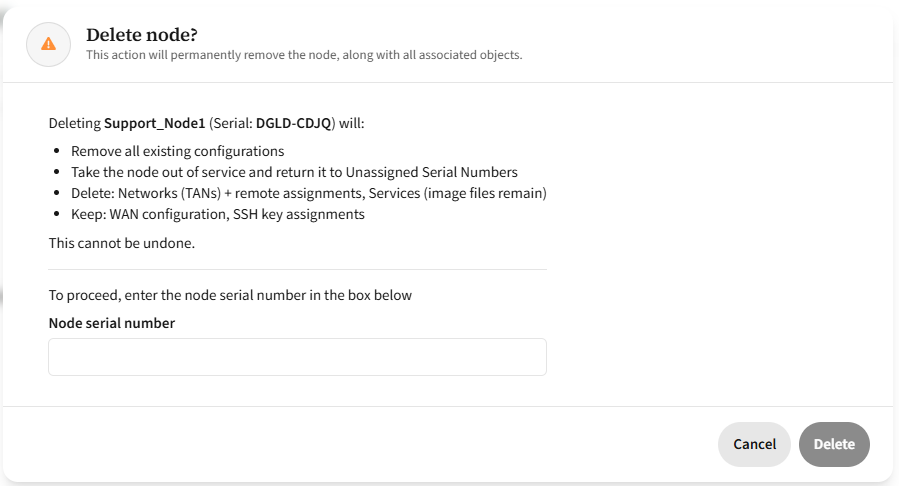
Deleting a node permanently removes the following configuration:
- Networks and their configurations, including remote network assignments, security policies, and static routes.
- Services running on the node (note that image files will remain).
The following configuration items are not removed:
- Associated endpoints
- WAN Configuration
- SSH Key Assignment
Note that you must delete associated endpoints manually; they are not deleted automatically when you delete a node.
The WAN and SSH Key assignment persist due to the non-deterministic nature of making this change. When you delete a node from the Secure Edge portal, the node immediately goes offline and there is no way to determine if the configuration was updated successfully.
This normally has minimal implications, but in cases where WAN configuration has been applied, you will need to update the WAN configuration if you plan to return the node to service on another network. To check whether an unassigned node has this configuration remaining, from the Nodes page, select Available Inventory. Select the relevant serial number to open the Serial Info dialog. Any applied configuration will be noted next to WAN configuration, and the SSH Key that is required for CLI access to the node.
Delete a node
Use the following steps to delete a node:
- From the Nodes page, select the arrow icon in the node's row to open its details page.
- Select Edit.
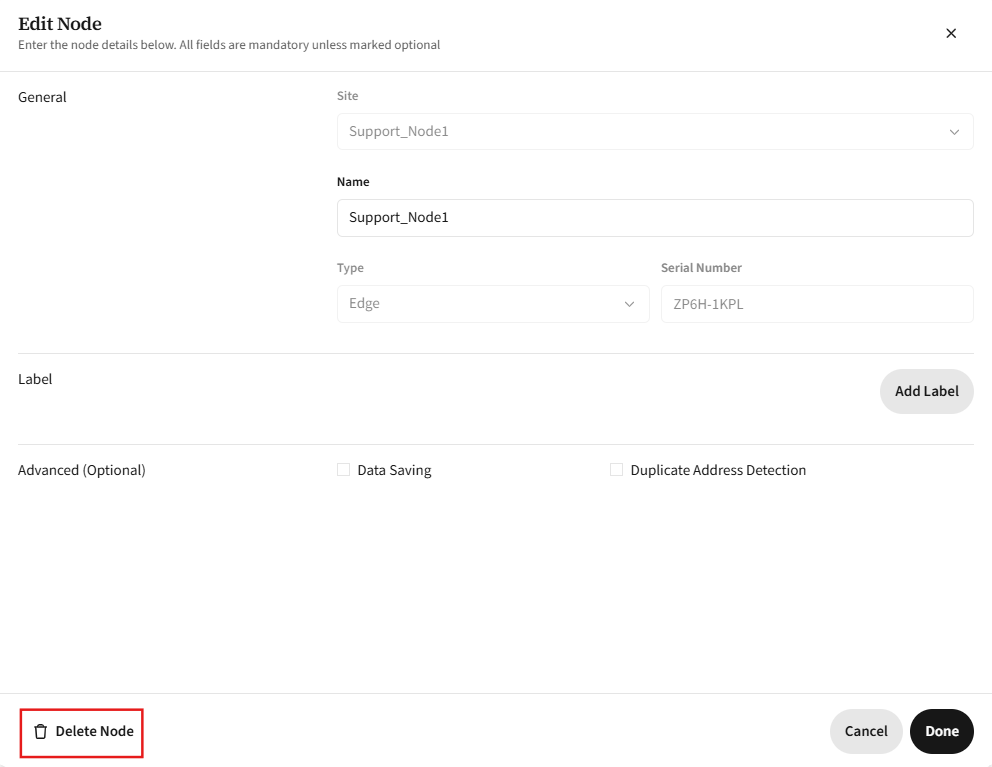
- In the Edit Node dialog, select Delete Node in the bottom left.
- In the Delete node? dialog, enter the node serial number and then confirm the deletion.
- Once deleted, the node will appear in the Available Inventory list.
 You can search the list by serial number.