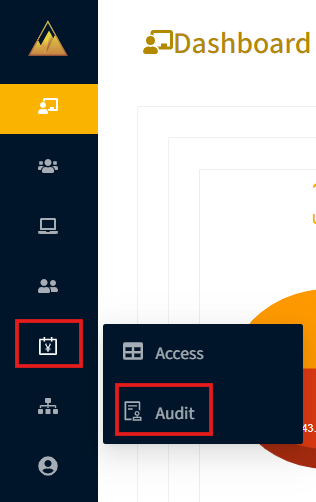
To see all audit reports, go to the Audit page in the Remote Access Portal.
The selected time period will display all activities. You can search the list by User ID and apply filters for Audit Type and Target to narrow down results.
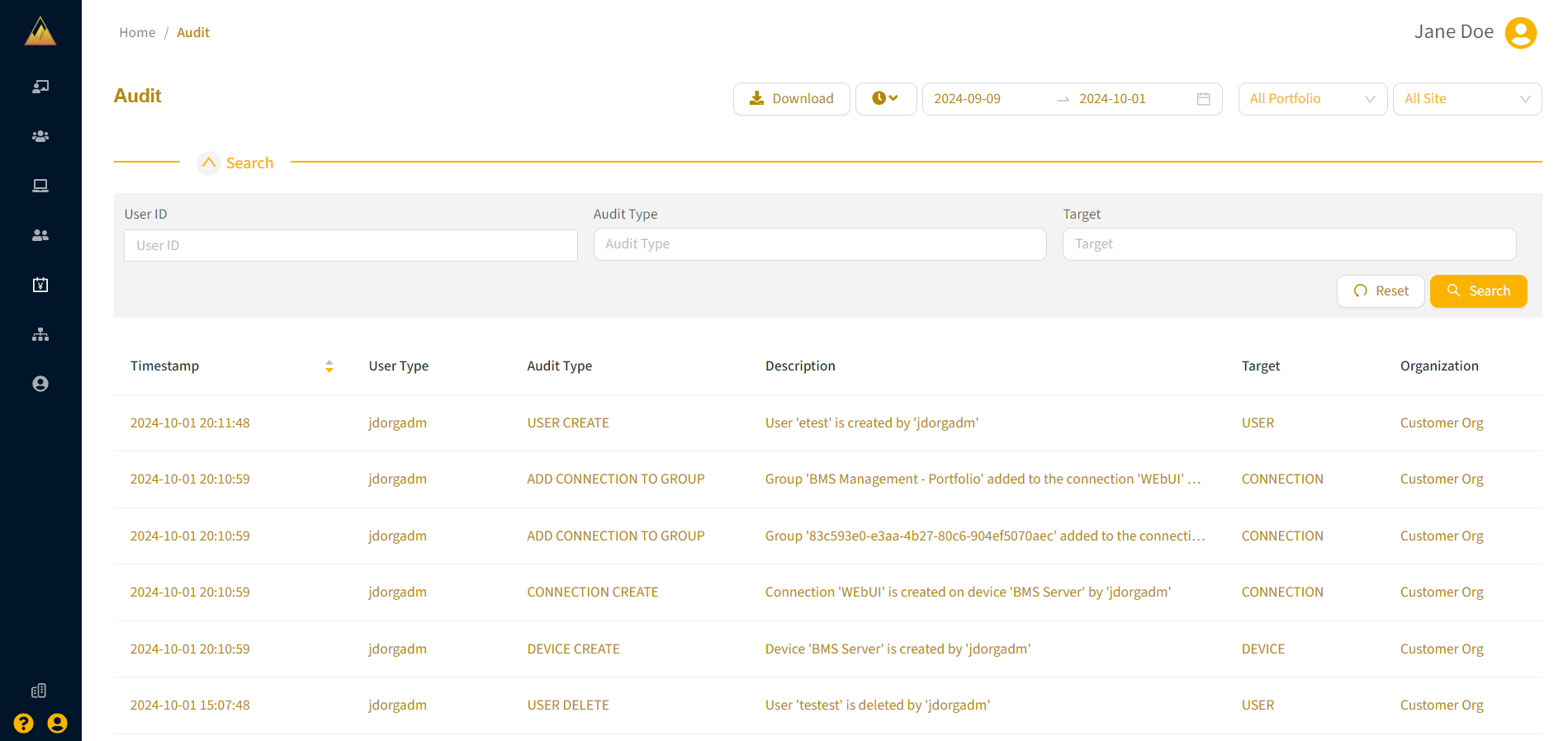
Audit details include the timestamp, audit type, User ID, a description of the action, and the associated target.